
Natural-language dates
Type the date the way you say it.
Add a day, a time, or a recurrence while you write the task title.
Sample workspace Eastern time
From a phrase to a planned date
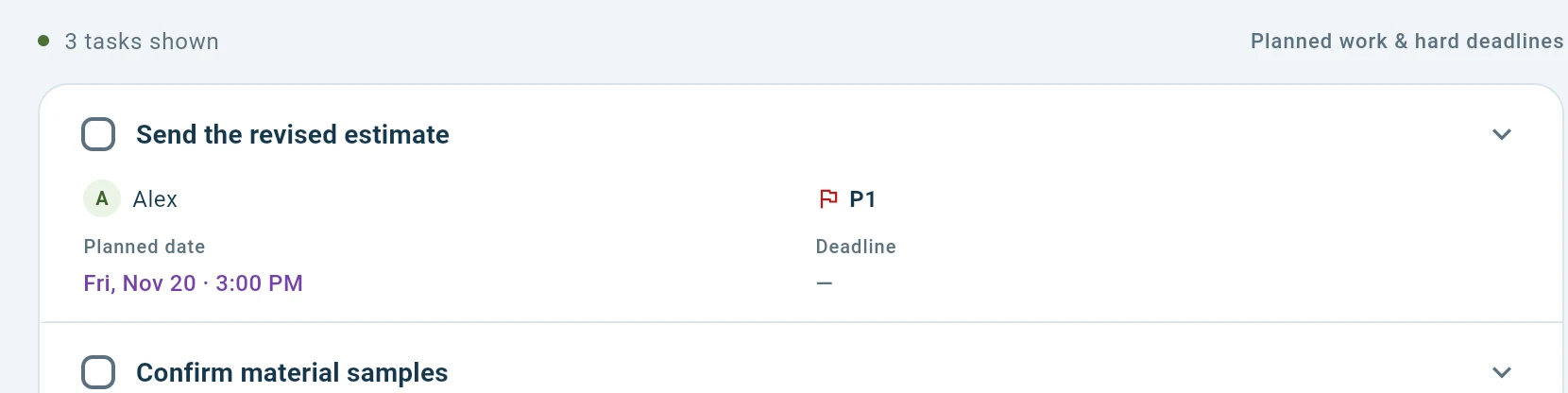
In this sample workspace on Thursday, November 19, 2026, “Friday at 3pm” schedules planned work for Friday, November 20 at 3:00 PM Eastern time. “Every other Wednesday” starts November 25 and repeats every two weeks. Choose Keep as text to save the words in the title, or leave an ambiguous phrase such as “after lunch” for manual scheduling.
Plan the work and record the deadline
Use Planned work for when you intend to work on it, and Hard deadline for when it has to be finished. Open the task to set either field directly.